Background & Crisis Response: Rapid UX Interventions on Live Payment Screens
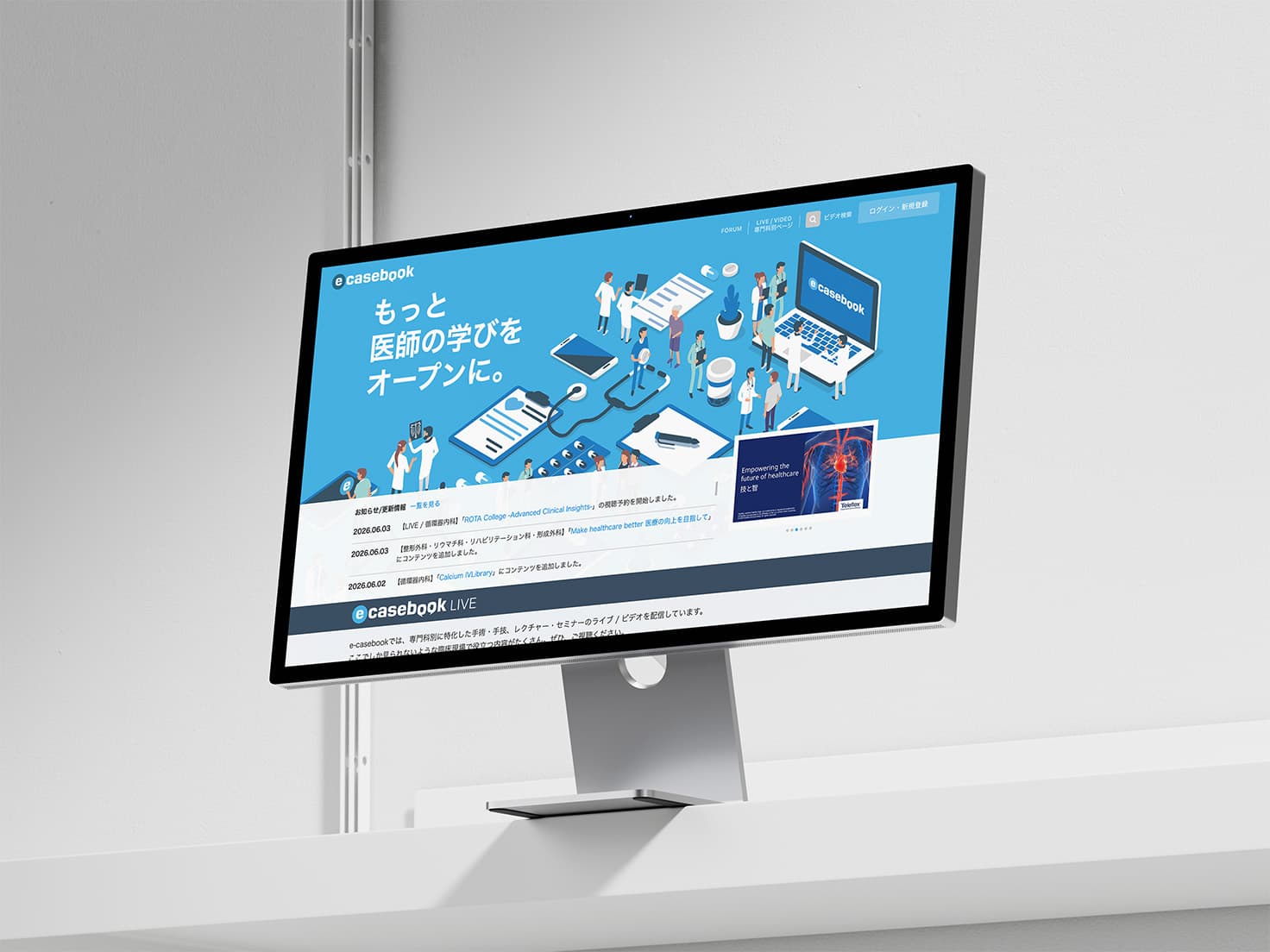
e-casebook is a specialized medical platform where pharmaceutical companies and medical device manufacturers sponsor live-streamed lectures and educational events for physicians. During a live, high-stakes medical conference, our Customer Support (CS) team received urgent complaints from attending physicians who were unable to select registration plans or navigate pricing options on the checkout screen.
Because the conference was actively running in real time, there was zero margin to wait for a full engineering sprint. After syncing with the CS team, I immediately formulated a tactical front-end fix using CSS overrides to resolve the visual blockers without consuming backend development hours. I reviewed the solution with my design manager to secure an immediate green light, then coordinated with engineering for an accelerated production deployment to stabilize the checkout funnel without friction.
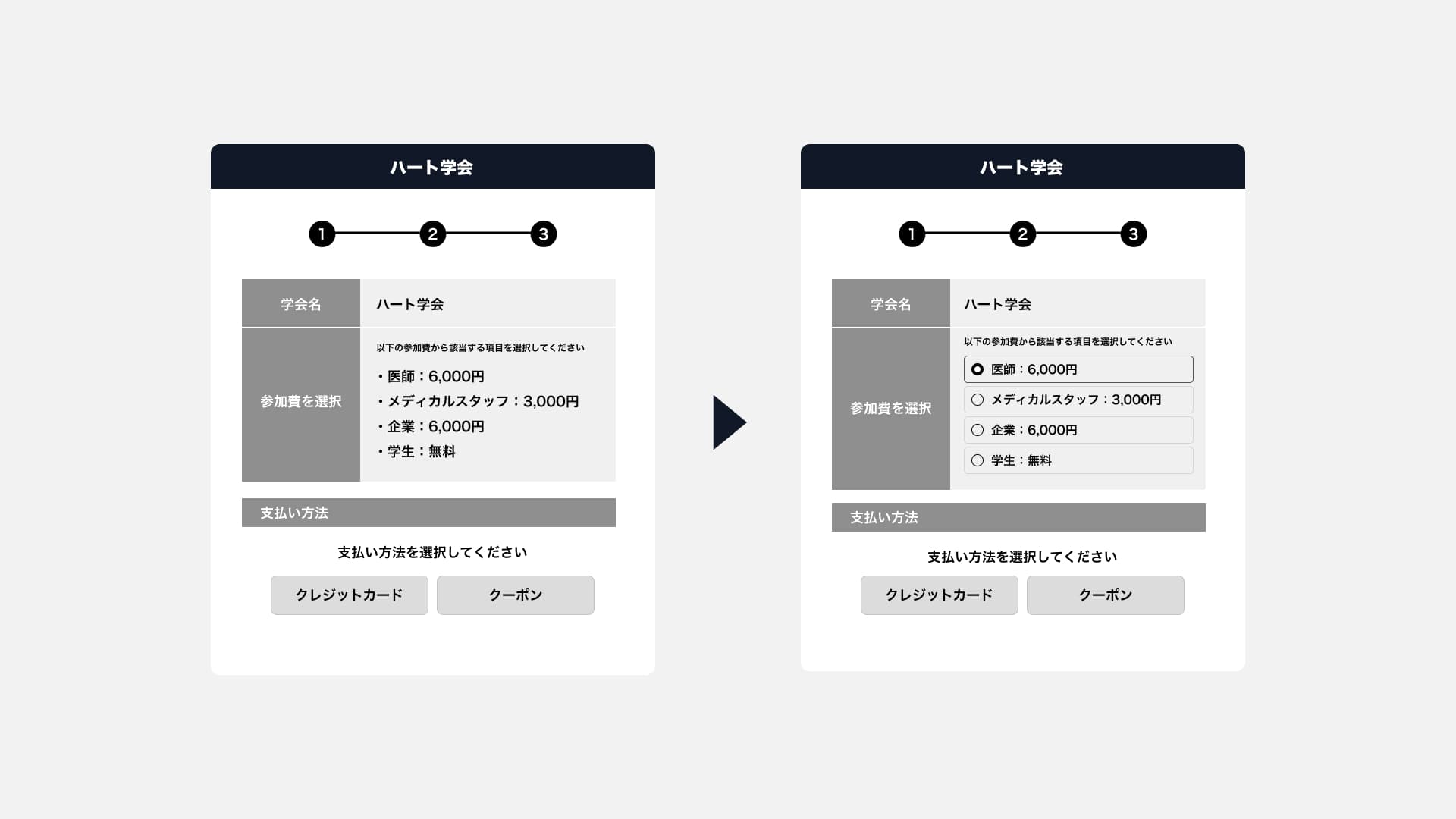
The original interface listed tier options using unstyled, bare radio buttons that lacked borders, visual groupings, or clickable signifiers. To resolve this, I wrote custom CSS to transform the raw list items into clean, scannable "card-style modules" with active background states upon interaction. This allowed physicians to instantly confirm their selected tier visually, resolving checkout abandonment and stabilizing the transaction funnel right away.
Collaborative Process: Optimizing Engineer-Driven Layouts
Within the e-casebook ecosystem, our development loop runs on an "engineer-driven, constraint-first" model rather than a traditional designer-led approach. This structure is intentional: engineers possess the deepest understanding of complex medical compliance laws and backend database dependencies. Whether assembling internal streaming administration backends or building fast, modular feature tools, engineering ships a fully operational, functionally sound layout first.
My core value lies in taking these technically sound, engineer-built views and refining them into intuitive human experiences—without breaking underlying code dependencies or database schemas:
- Information Architecture & Grouping: Reorganizing dense, multi-step forms derived from database structures into logical, human-centered flows that align with user mental models.
- Microcopy & Micro-interactions: Inserting contextual inline hints to prevent user errors, transforming rigid system validation messages into clear, conversational labels.
- Brand Alignment & System Consistency: Standardizing interface color tokens and input components on rapid-build tools to ensure total alignment with brand guidelines.
By respecting technical boundaries and focusing heavily on polish rather than disruptive layout overhauls, I protect engineering velocity while elevating product quality. This pragmatic tuning loop keeps our lean team agile.
Organization & Governance: Operating as a Hybrid Designer in a Lean Team

Operating inside a team of roughly 40 professionals, our design org consists of just two people: my design manager and myself. We balance everything from core product UI/UX architecture to client-facing B2B graphic production for global pharmaceutical marketing events.
I view this dual responsibility pragmatically rather than hiding behind buzzwords like "cross-functional synergy." This hybrid role is a natural byproduct of our current company scale; as the organization expands, these disciplines will naturally separate into specialized positions.
To maintain product integrity and brand alignment, we enforce a structured design governance loop—ensuring all interface adjustments and marketing assets receive a final review and green light from my manager before being shipped to production or presented to corporate clients.
Additionally, maintaining this full-spectrum view inside a compact environment yields high execution speed and flawless asset delivery. Because I map out the platform interfaces myself, I know the exact pixel constraints and responsive safe zones of our banner placements on Day 1. Bypassing export validation loops entirely allows us to ship client marketing materials directly to production with maximum speed.
Retrospective & Outlook: Solving Real-World Problems within System Constraints
Iterating on a live product while balancing corporate marketing needs has taught me that impactful product design isn't about maintaining pristine Figma files; it is about shipping practical fixes within fixed operational, technical, and resource boundaries.
When an event is live and users hit a wall, a vector mockup doesn't solve the problem. Success often comes down to writing a few lines of responsive CSS or tweaking input microcopy on an engineer-built interface. Moving forward, I will continue to evaluate technical architecture and company growth stage objectively, prioritizing execution speed, rapid manager alignment, and real-world results to move the product forward.